# How to swap on Solflare Mobile wallet
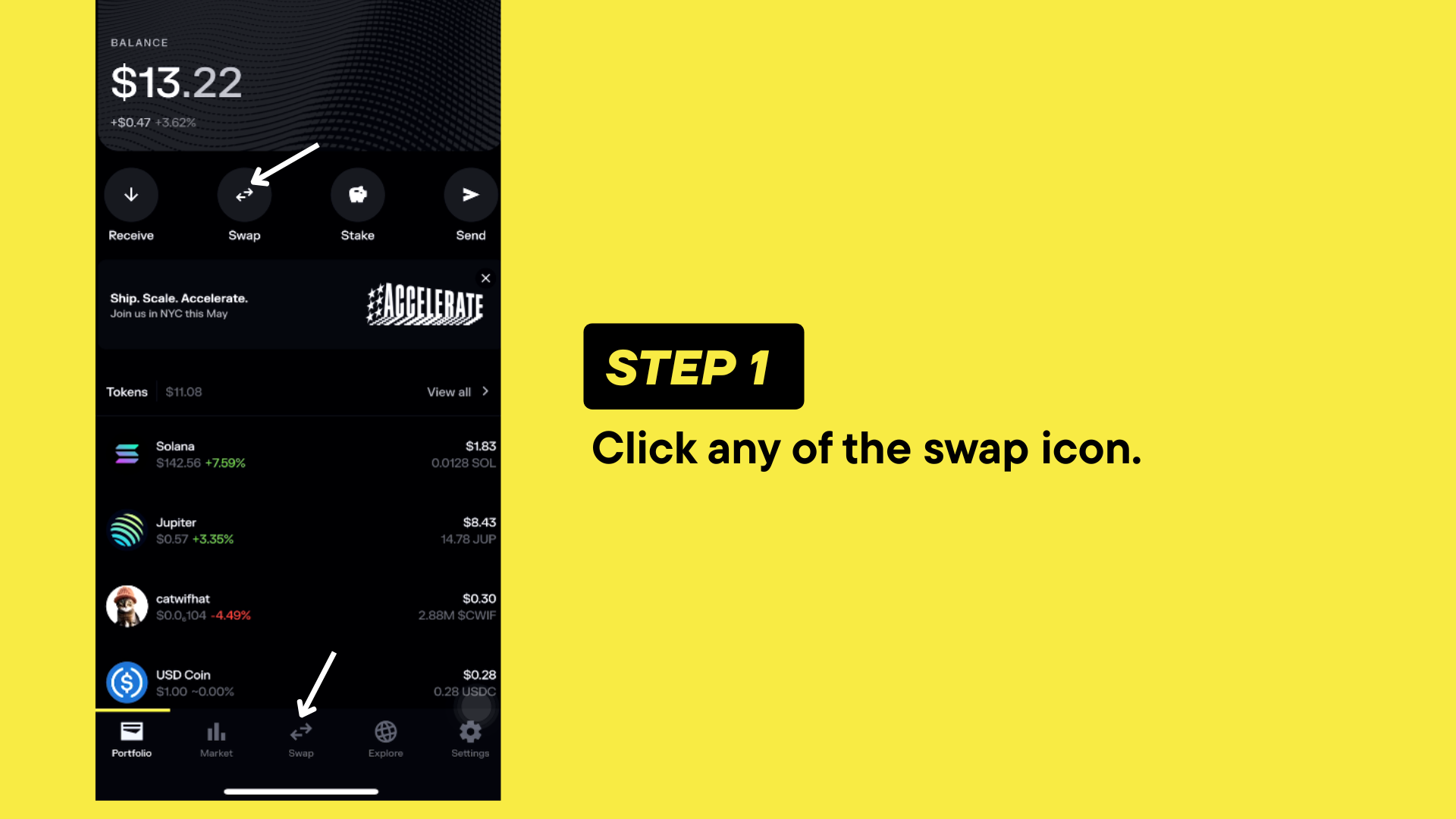
### **Step 1: Navigate to the Token Swap Page**
To start, click on any of the **swap icons on the page**. This will take you to the dedicated token swap page where you can manage your swaps.
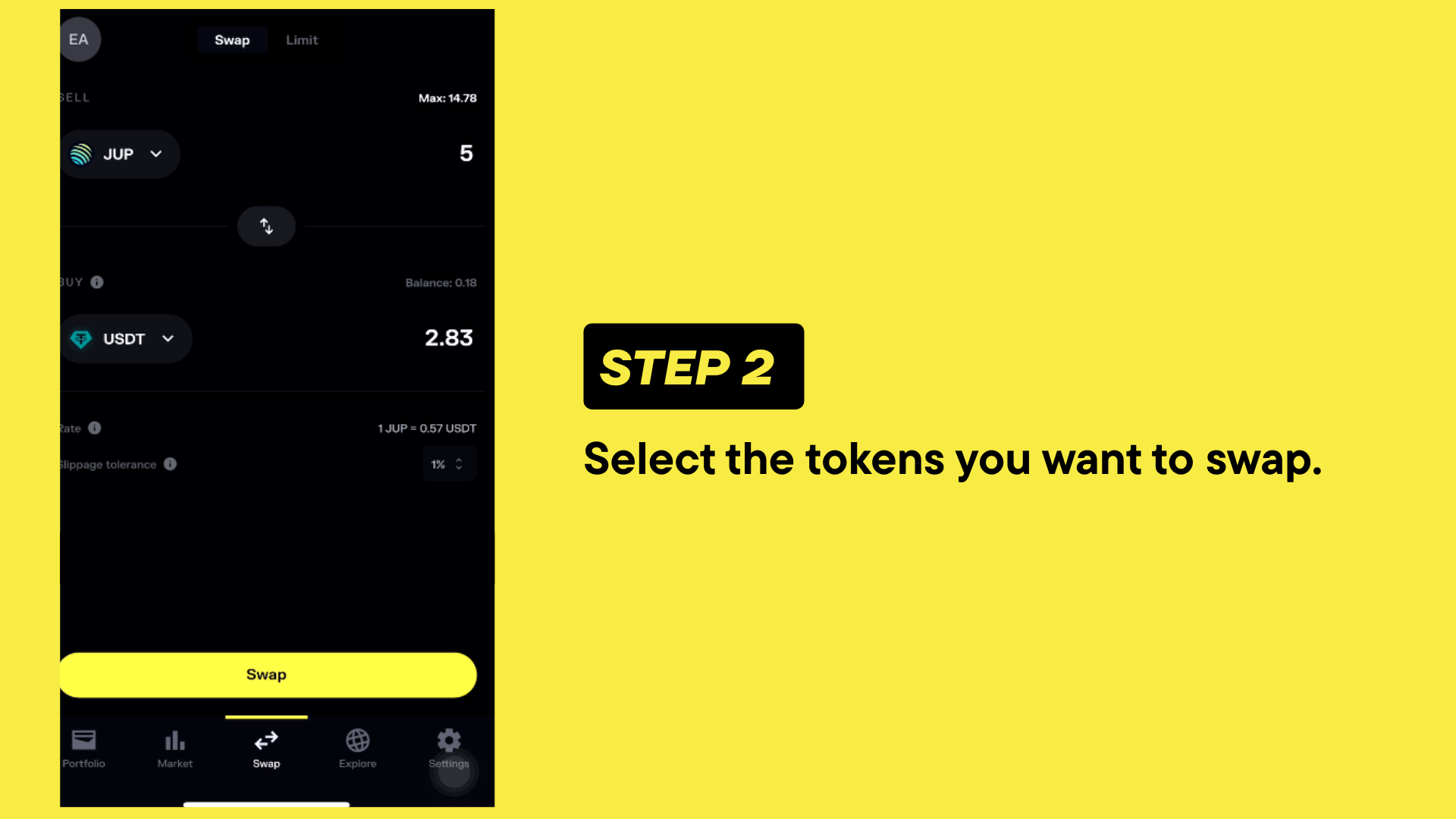
#### **e4Step 2: Choose the Token Pair to Swap**
Now that you’re on the swap page, follow these steps:
1. Select the token pair you want to swap. For example, **USDC/SOL**.
2. Enter the amount of **USDC** you want to swap for **SOLANA**.
3. Review the details and make sure the values look correct.
4. Click the **Swap** button to proceed.
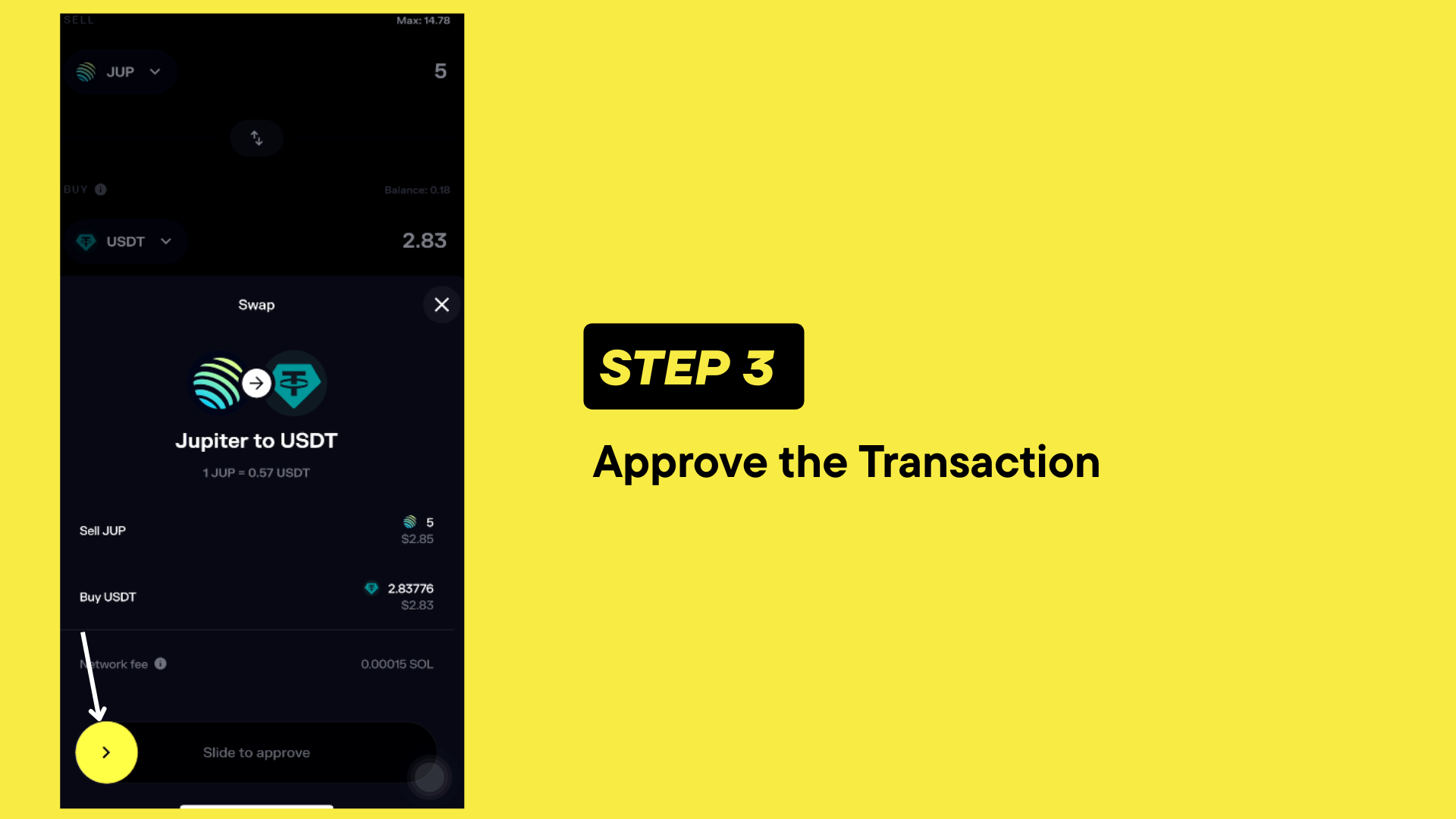
### **Step 3: Approve the Transaction**
After clicking the **Swap** button, you’ll need to approve the transaction.
1. A slider with an **orange circle** will appear.
2. Drag the orange circle across the slider to confirm and approve the transaction.
{% hint style="info" %}
Sliding to approve helps ensure accidental swaps don’t happen!
{% endhint %}
#### **Final Step: Check Your Swapped Tokens**
Once the transaction is complete:
1. Click the **homepage icon** to return to the main dashboard.
2. You’ll now see your newly swapped tokens displayed in your portfolio.
### **That’s All!**
You’ve successfully swapped your tokens! This process can be repeated to swap any token supported on Solana. Follow these steps anytime you need to make a swap.